The home for cavaquinho study and practice.
Cavac brings together accompaniment-focused charts, guided study, playback, key and BPM control, a chord dictionary, tuner, and metronome in one calm, fast, musical product experience.
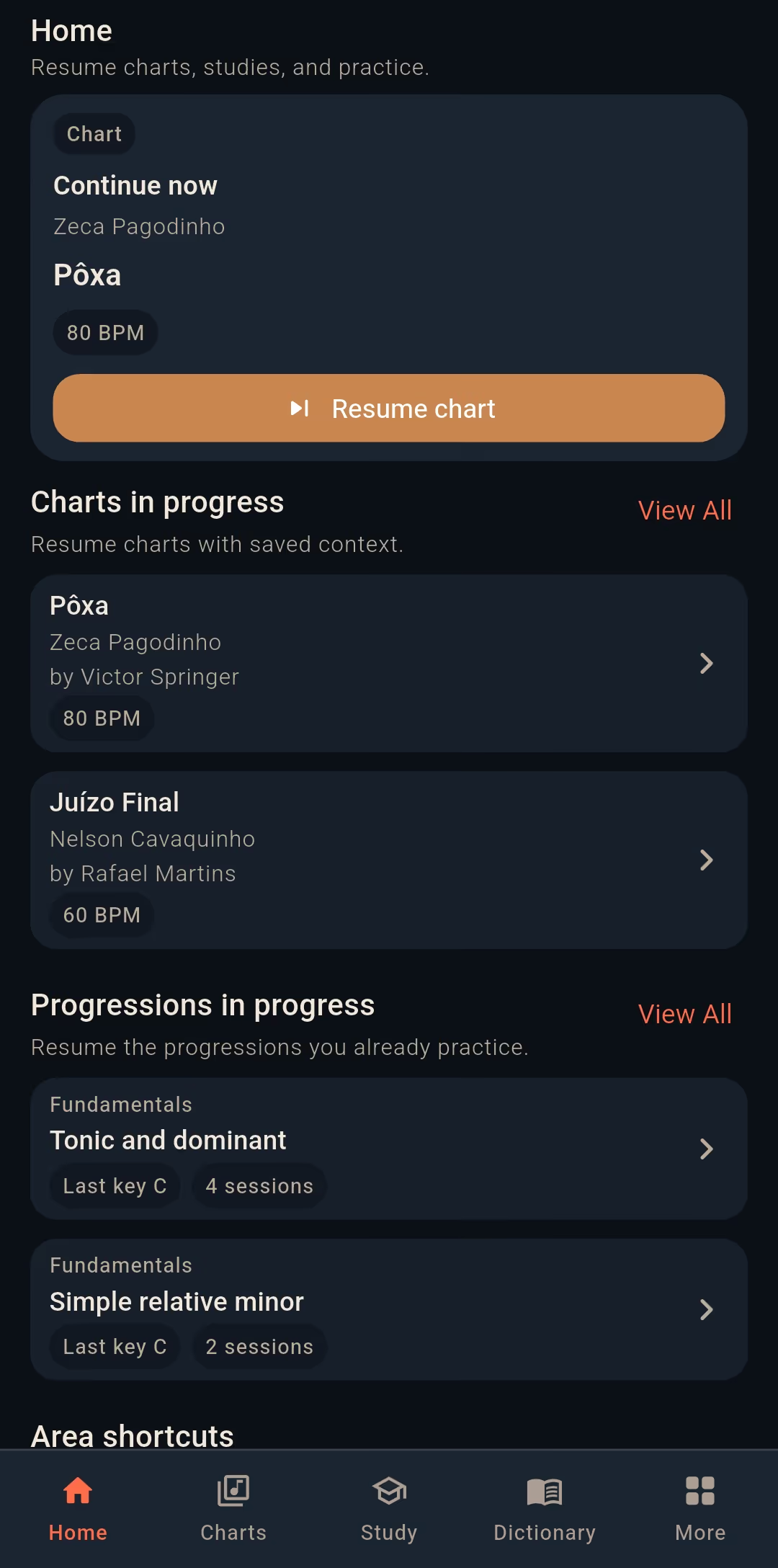


A chart library built for accompaniment
Search, open, favorite, and resume charts with clean reading, playback, and key and BPM control in the same place.
Study with real continuity
Progressions, harmonic context, and repeatable practice come together in a daily flow that makes sense for serious players.
Chord work and tools, fully integrated
The chord dictionary, tuner, and metronome live inside the product, reducing context switching and keeping your practice musical.
A clean experience for playing now and continuing later.
The point is not to fill the screen. It is to let the chart breathe, keep the right context visible, and lower friction while you play, study, and return.


Structured practice, not improvised interface work.
Practice needs continuity, context, and an easy return path. Cavac organizes that into a coherent daily system without feeling like a spreadsheet dressed up as a music app.
Everything in one flow. No app switching between steps.
The chord dictionary, tuner, and metronome are part of the product, not disconnected extras. That matters more than it sounds: less interruption, better daily adherence.
Chord dictionary
Chords, shapes, and variations stay one quick search away, without breaking the reading or study flow.
Tuner
Fast, direct tuning feedback before you play, without opening another product or losing your practice context.
Metronome
A stable pulse for consistent practice, integrated with whatever you are working on right now.
Soft in tone. Solid in use.
Cavac is built for repeat use: consistent, mobile first, and shaped for reading, practice, and accompaniment without interface excess.
Clear answers about what Cavac already delivers today.
Quick answers about accompaniment-focused charts, study with context, and useful tools for daily practice.
What is Cavac?
Cavac is a mobile/web app for studying and playing cavaquinho and Brazilian banjo, focused on samba and pagode.
What is a chart in Cavac?
In Cavac, a chart is an accompaniment-focused chord chart with chords and structure for cavaquinho or Brazilian banjo. It is not official lyrics, official melody, or sheet music.
Why are there no lyrics or melody?
Because the product is built around accompaniment-focused chord charts. That is the format used in the app.
What can I already do in Cavac?
You can create an account with email and password or Google, search and open charts, use playback, study, adjust key and BPM per chart, save favorites, share charts in read-only mode, publish charts inside the app, and use the chord dictionary, tuner, and metronome.
Who creates and maintains charts in Cavac?
Cavac includes charts created by users. Each chart shows visible authorship in the app.
How does authorship work in Cavac?
Each chart shows visible authorship. This helps you identify who created that chart in the app.
What does it mean to publish a chart?
Publishing means making the chart visible to all authenticated users inside the app. It does not mean a public website, an open public link, or indexing outside the app.
How do favorites work?
Favorites are private per user. Only you can see your own favorites.
How does sharing work?
Sharing is simple and read-only. It allows reading access without turning sharing into collaborative editing.
Can other people edit my chart?
Not through sharing. Sharing a chart does not grant editing permission. The other person can only duplicate it as a separate private copy, without changing the original.
Are my charts private or visible to other users?
It depends on the chart state. When a chart is published, it is visible to authenticated users inside the app. If it is not published, it does not get that broader in-app visibility.
Join the waitlist and follow the launch without the noise.
Get product updates, early access notes, and development news. No unnecessary messages. Only what matters.